videoSeptember 19, 2026
How to make a video trailer from your camera roll with one text
Share selected photos and one clear brief with your AI agent. Watch a real three-photo trailer, inspect the originals and copy the exact generation request.
To make a video trailer from your camera roll with one text, share a small selection of photos with an AI agent and tell it the length, order, framing, motion and sound you want. The agent can turn that brief into a video-generation request or an editing timeline and return an MP4. “One text” describes the creative instruction; the photos still need to be attached or available through an authorized connection. Below is a real generated trailer, its three original images and the exact request used to make it.
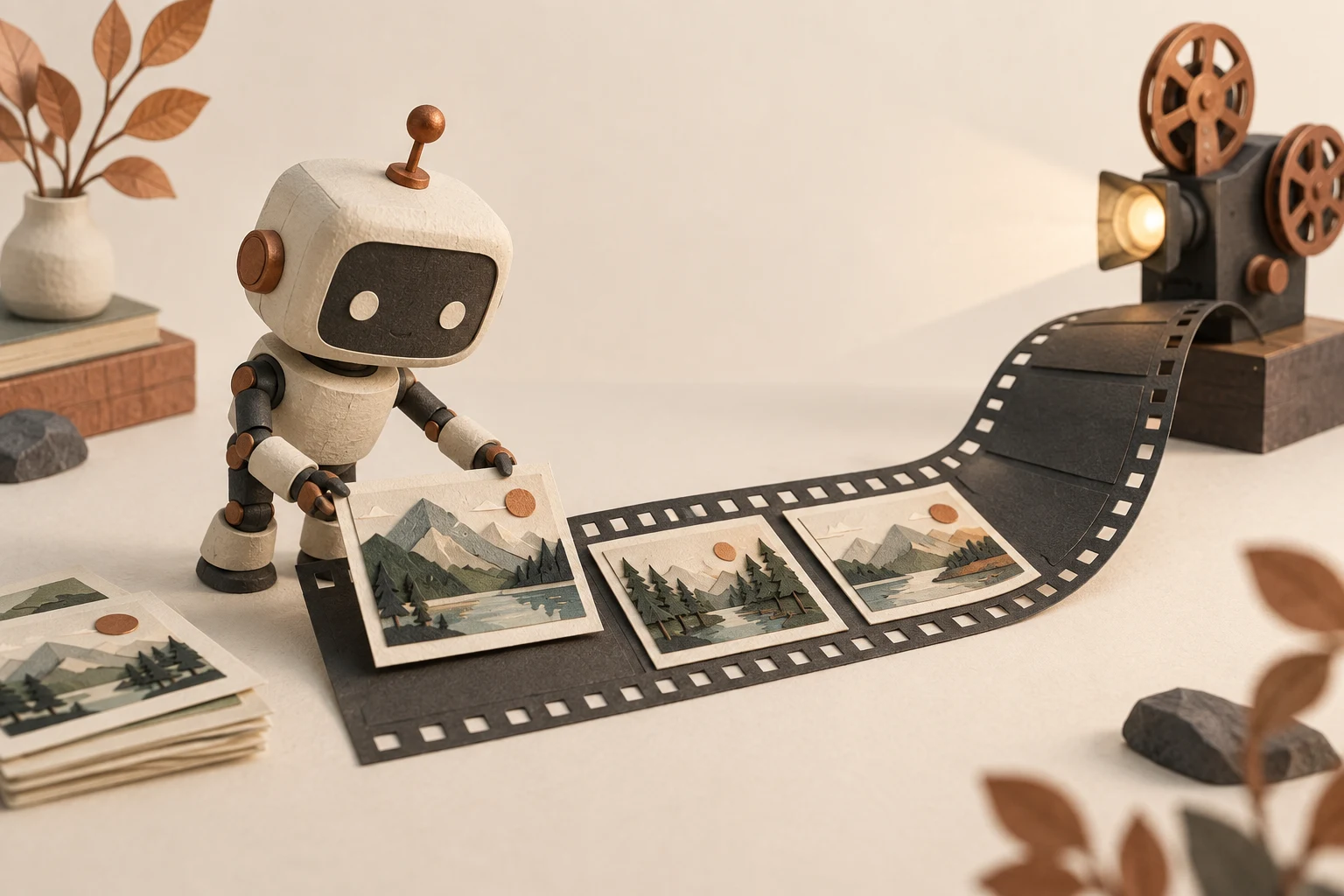
Original generated illustration. The playable demonstration uses the separately credited photographs below.
Watch the trailer made from three selected photos
For a public example, we used three archive photographs as a stand-in for a selected camera-roll album: a mountain lake, an aerial forest view and a bison cow with her calf. These are different source scenes, not photos from one actual trip. No personal photo library was accessed.
The completed file is 12.04 seconds, 1,280 × 720 pixels and 24 fps, with no audio stream. It was generated with Seedance 2.0 Fast's reference-to-video endpoint through Vaaya. This is a new visual interpretation of the photos, not recovered footage. The source agency did not create or endorse the animation.
Download the original brief, exact generation request, actual result and provenance notes. The MP4 is hosted with this article so the example does not depend on an expiring provider link.
Which photos went into it?
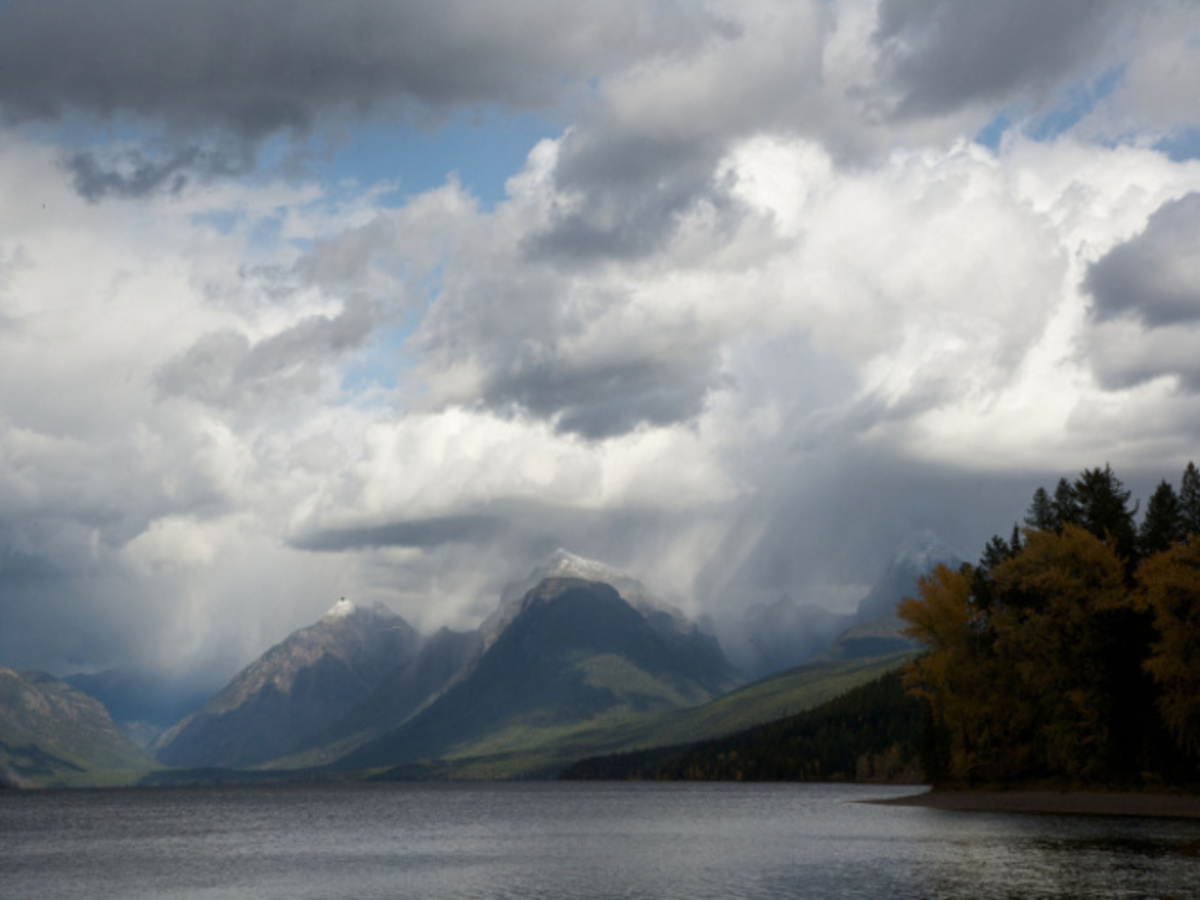
Lake McDonald, MT — Ryan Hagerty/USFWS. Source and public-domain credit.
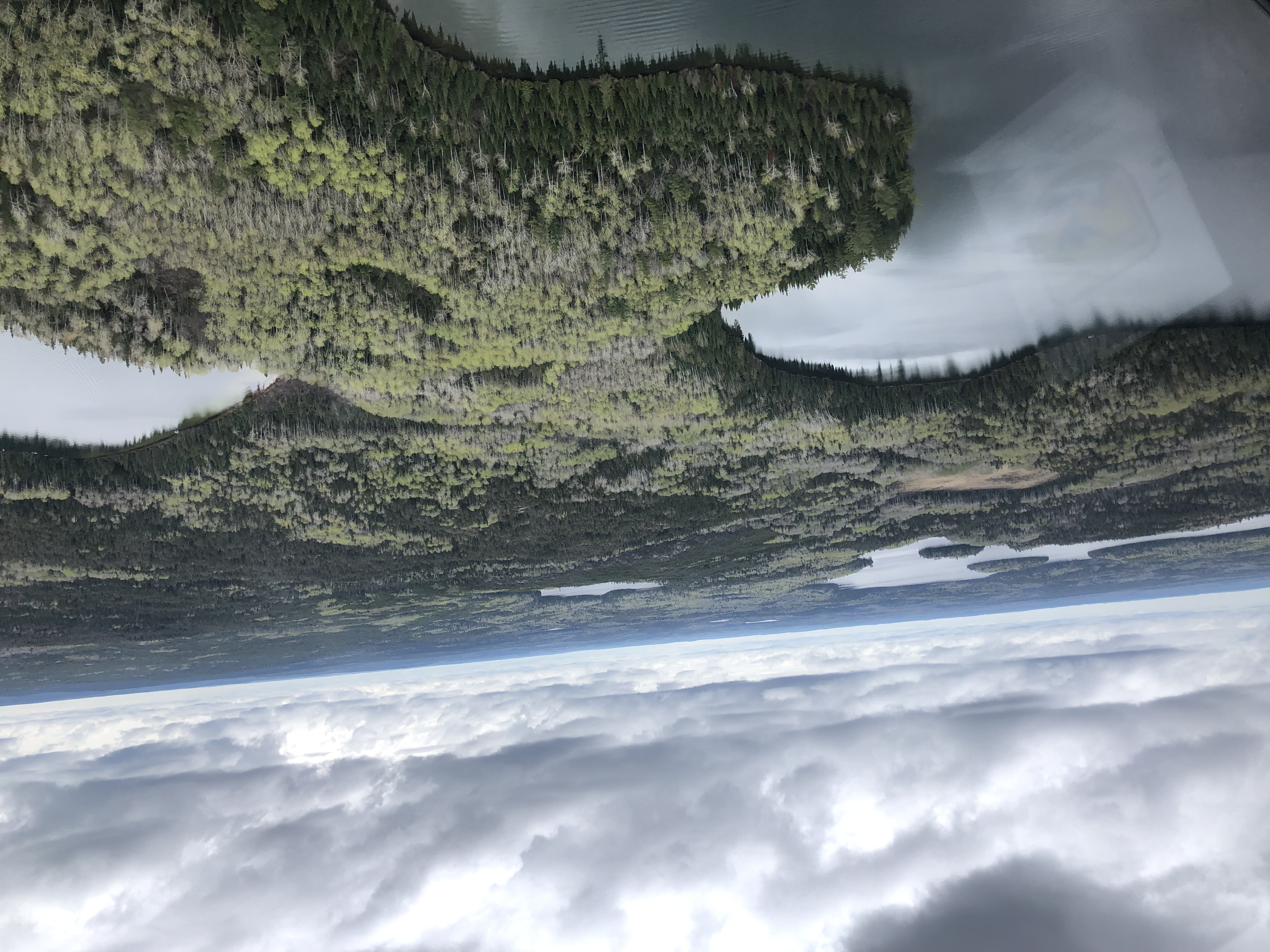
Boreal forest landscape — Tony Roberts/USFWS. Source and public-domain credit.
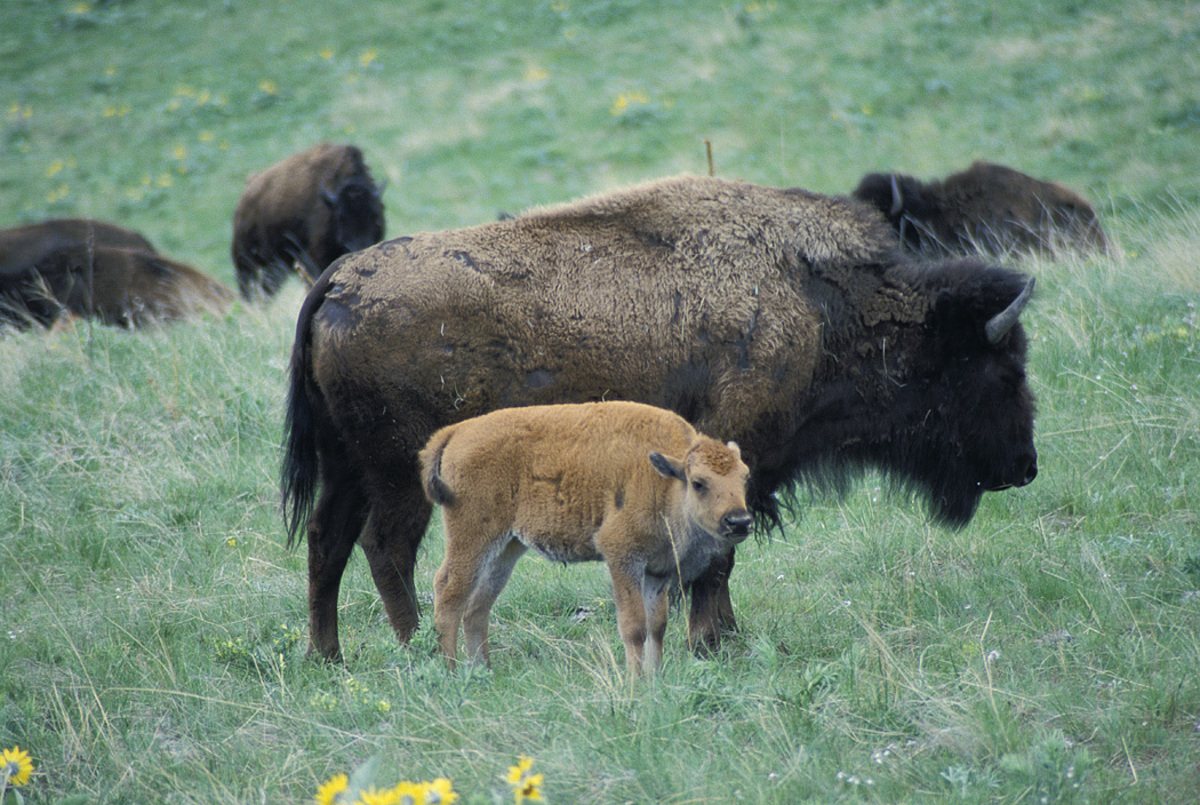
Bison cow and calf — Jesse Achtenberg. Source and public-domain credit.
The source manifest preserves the credits and links. These are the unchanged input JPEGs. Keeping them beside the video lets you check which details the model retained and which it changed.
What should the one text say?
Here is the authored user-facing brief for our example:
Make a 12-second landscape nature trailer from these three selected photos, in this order: mountain lake, aerial forest, bison cow and calf. Use three calm shots with clean cuts, subtle motion and natural color. Keep the animals recognizable. No titles, logos, extra people or animals. Silent output. Return the MP4 and keep the original photos and exact generation prompt.
This is a reusable example, not a captured WhatsApp or iMessage message. The agent expanded it into a more detailed prompt assigning roughly four seconds to each scene and referring to the images in order. Exact cut timing is a request to the generative model, not an editing guarantee.
For your own album, add a spending limit and say where the video will be viewed. “Vertical, for my phone” is a different composition from “landscape, for a television.” Say whether you want generated movement or simply an edit of the original media.
How does the agent turn the brief into a video?
First, it needs the selected files. Sending three attachments is enough for a small example; giving an assistant access to an entire library is not a prerequisite.
Next, it chooses a compatible tool. The reference-to-video endpoint used here accepts several reference images and lets a prompt refer to them by number. We requested 12 seconds, landscape 16:9 framing, the 720p setting, high bitrate and audio disabled. Provider's reference-to-video schema.
The agent stages the supported images, submits one generation and saves the returned job ID. It checks that job until it finishes, then downloads and inspects the result. Sending the same generation again starts new work; it is not a status check.
The successful generation cost USD 1.34 in this run; new image staging and storage calls brought this trailer task to USD 1.39. These are recorded charges, not future quotes. The measured file properties and provenance notes also document the outcome and the unsuccessful attempts that preceded it. Actual workflow evidence should retain failures, rather than imply that every request produces a usable trailer on its first attempt.
What makes it feel like a trailer?
A short sequence needs a reason for each image. In this brief, the wide lake establishes the setting, the aerial view expands it and the bison pair supplies a closer final subject. That structure gives the video a beginning, a change and an ending.
For your own photos, choose a small number of distinct moments. Ten near-identical views do not automatically create a stronger story. Tell the agent which image must open and which must close, then judge whether the middle earns its place.
Sound is a separate creative choice. This published example is silent. If you add music later, use a track you have permission to use and check the resulting mix rather than assuming every generator includes usable audio.
What should you check before sharing it?
Watch the entire file. Compare faces, animals, lettering, buildings and other important details against the originals. Look for invented objects, shape changes, odd transitions and crops that remove the subject. A plausible scene is not necessarily faithful to the photo.
If you need an accurate record of a family event, use the original photos or recorded clips in a conventional edit. Generative video is better understood as an interpretation. Our family-photo animation guide makes that distinction with an inspectable example.
How does Instinct × Vaaya fit into one text?
With Instinct on WhatsApp or iMessage, you could attach the selected photos and send the brief in the same conversation. Where your setup has the necessary media tools connected, Instinct can manage the request while Vaaya supplies the external generation service. The useful response is the actual playable video, the cost and any detail that needs another look.
This demonstration verifies the generation step through Vaaya, not a live camera-roll connection or an end-to-end Instinct chat. For a single starting image, follow the photo-to-video walkthrough. To choose a model, compare the actual outputs in our Seedance, Hailuo and Kling guide.
Questions
Can an AI agent make a trailer from my camera roll?
Yes, if you share selected photos or authorize access through a supported connection and the agent has a video tool. Specify the order, duration, format, motion, sound and spending limit. Review the actual video before sharing it.
Can one text give the agent access to all my photos?
No. The text is the creative brief. The assistant still needs the selected image files or an already authorized photo connection. A messaging app or Vaaya connection does not automatically make your camera roll readable.
Is the example trailer real footage?
No. It is an actual AI-generated video made from three public-domain reference photographs. Those photographs stand in for a selected album; no private camera roll was accessed and the sources do not depict one documented trip.
What should I put in the text request?
Name the selected images, desired order, total length, landscape or vertical format, mood, motion, audio policy and budget. Say which details must stay recognizable and ask for the finished MP4 plus the original inputs and prompt.
Can I keep my photos exactly unchanged?
Generative video can redraw details and invent movement. If exact preservation matters, ask for a conventional edit of the original photos or recorded clips with pans, crops and cuts, rather than generative animation.