Give your agents superpowers.

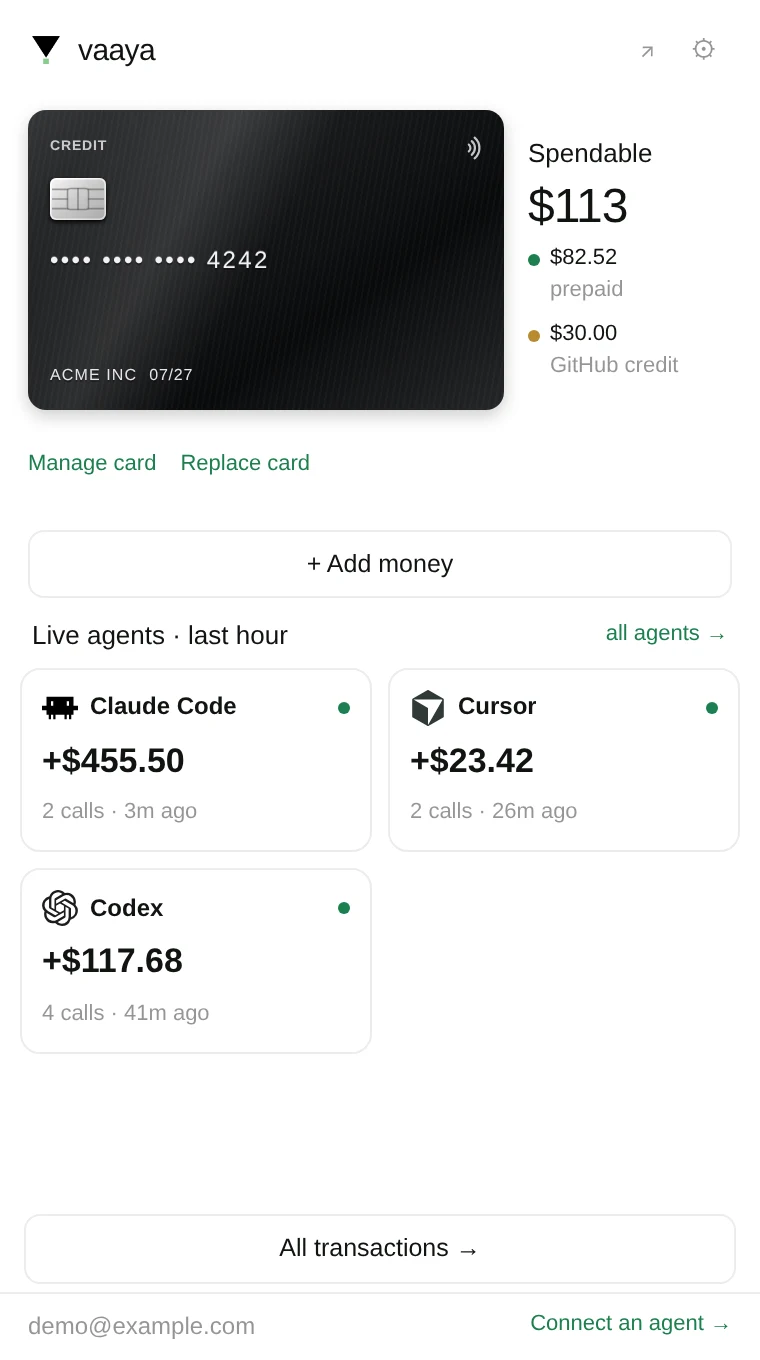
Your agent gets a Vaaya card. It pays per call across hundreds of services. No accounts, no API keys.

Runs inside Claude Code · Claude Desktop · Cursor · Codex, any MCP host.

$20 free credit · pay per use

Activate the card

takes about 30 seconds

Recommended · fastest setup

1
One command sets up Claude Code, Claude Desktop, Cursor & Codex.
$ npx @vaaya/mcp install
2
Sign in with Google when your browser opens.
Add Vaaya to Claude

Opens Claude's add-connector screen with Vaaya filled in, works on your phone too. Or add it manually:

1
Open Customize → Connectors → Add custom connector and paste the address.
https://vaaya.ai/mcp
2
Click Add, then sign in with Google.
1
In Settings → Connectors → Advanced, turn on Developer mode.
2
Connectors → Create, paste the address, set Auth to OAuth, Create.
https://vaaya.ai/mcp

Needs a paid ChatGPT plan.

1
Paste in your terminal.
claude mcp add --transport http vaaya https://vaaya.ai/mcp
2
Run /mcp, pick Vaaya, Authenticate.

$20 preloaded · pay only for what runs

CVC 402
Vaaya PREPAID
x402  3009  7591  0020
Cardholder
YOUR AGENT
Member since
TODAY
Balance
$20.00
Turn it over — activation's on the back

One card · hundreds of services on tap

BrowserbasefalExaFirecrawlProspeoAgentMailParallelModalE2BMem0ZepElevenLabsResendLinkedInVercelReplicateDaytonaMagnificCueFrameStablePhoneSupabaseCloudflareBrowserbasefalExaFirecrawlProspeoAgentMailParallelModalE2BMem0ZepElevenLabsResendLinkedInVercelReplicateDaytonaMagnificCueFrameStablePhoneSupabaseCloudflare

One brain behind every agent.

Everything your agents learn lands in one living map — and every new call starts from what's already there. A sample of what yours will hold:

ResearchActivityKnowledgeProfile You Competitor moved to usage pricing3 rivals hiring AE teamsICP: Series A–B SaaSPricing A/B: metered wins42 emails sent · agentmail120 leads enriched · prospeoDemo video rendered · cueframeReply from dana@ · inboxSlack + Drive connectedKling preferred for launch videoSend window: Tue–Thu morningsCase study: 3× reply rateVP Growth · owns pipelineNever contact current customersKPI: qualified demos bookedBudget: $2k/mo tooling rotating live · your agents read and write it
Start your brain
Create product demosCreate GTM motionEnrich your contactsAutomate communicationCreate website graphics

with your agents

A tailored walkthrough for every lead, driven through your real product in a live browser.Find the right people, message them, and reshape the whole campaign with one instruction.Reveal verified emails, direct dials, and firmographics from every provider at once.Draft, send, read, and reply across email and LinkedIn from your own connected seats.Generate hero images, OG cards, and section art for any page, then drop them straight in.
PostHog
Dana WhitfieldVP Growth · Northwind Labs
dana@northwind.io
+1 (415) 555-0192
Northwind Labs · Series B
San Francisco, CA
ToEmailinLinkedIn
Hi Dana, saw Northwind is scaling GTM.Want your agents to run the outreach?
Send
Sounds great, send times for Thursday?
meridianline.com

Your agent doesn't guess. It consults.

Your agent describes the goal in plain English; consult weighs the routes across hundreds of services and hands back the exact calls to run.

Agent to agent

Clarifying questions and trade-offs, not a search box.

Knows every service

Current routing knowledge and prices across the whole catalog.

Remembers outcomes

Every result posts back, so the next run starts smarter.

Recipes that teach your agents to work like experts

Powered by the Vaaya card: the right services, in the right order. Open one to see the exact flow.

Product demos

Drive a real browser through your app and capture a clean walkthrough.

View demo

Images for websites

Generate hero images, OG cards, and section art for any site.

View demo

Find & enrich leads

Discover people by ICP with semantic search, reveal verified work emails, and enrich every contact.

View demo

Get signals faster than ever

Catch funding, launches, and job changes the moment they happen.

View demo

Trade the markets

Cited stock ideas every morning, matched to your watchlist and themes.

View demo

Workers

Put your agent on a schedule — a worker that watches anything on the web and pings you when it changes.

View demo

Send LinkedIn messages 24×7

Connect and message prospects on LinkedIn around the clock.

View demo

Search & scrape the internet

Semantic search, crawl, and structured extraction from any site.

View demo

Make phone calls

Place real phone calls: confirmations, reminders, and follow-ups.

View demo

Send emails

Spin up agent-owned inboxes and send, read, and reply to email.

View demo

Standalone compute

Let your agents run real code and GPU jobs, metered by the second.

View demo

Memory

Store files and facts in one session, recall them in the next.

View demo

One card. Hundreds of services.

GTM, contact data, web, media, compute, and infrastructure.

ApolloApolloClayClayZoomInfoZoomInfoPeople Data LabsPeople Data LabsProspeoProspeoHunterHunterClearbitClearbitLushaLushaCognismCognismCrunchbaseCrunchbasePredictLeadsPredictLeadsBuiltWithBuiltWithExaExaFirecrawlFirecrawlParallelParallelBrowserbaseBrowserbasefalfalReplicateReplicateElevenLabsElevenLabsMagnificMagnificCueFrameCueFrameAgentMailAgentMailResendResendLinkedInLinkedInStablePhoneStablePhoneModalModalE2BE2BDaytonaDaytonaMem0Mem0ZepZepSupabaseSupabaseCloudflareCloudflareVercelVercel+90more

One install. Any agent. No keys.

The installer detects your host and wires everything up, or connect the hosted server over HTTP.

Set up Vaaya in seconds

Recommended · fastest setup

1
One command sets up Claude Code, Claude Desktop, Cursor & Codex.
$ npx @vaaya/mcp install
2
Sign in with Google when your browser opens.
Add Vaaya to Claude

Opens Claude's add-connector screen with Vaaya filled in, works on your phone too. Or add it manually:

1
Open Customize → Connectors → Add custom connector and paste the address.
https://vaaya.ai/mcp
2
Click Add, then sign in with Google.
1
In Settings → Connectors → Advanced, turn on Developer mode.
2
Connectors → Create, paste the address, set Auth to OAuth, Create.
https://vaaya.ai/mcp

Needs a paid ChatGPT plan.

1
Paste in your terminal.
claude mcp add --transport http vaaya https://vaaya.ai/mcp
2
Run /mcp, pick Vaaya, Authenticate.

$20 free credit · pay only for what runs

1
Run one command. The npx installer detects your agent and sets up the MCP server and skill.
2
Claim your $20 credit. Agents can start spending before you pay a cent; failed calls aren't charged.
3
Ask for anything. Demos, leads, signals, outreach, research, compute.
4
Set your ceiling. Every call is metered and logged; nothing runs past your spend limit.

Your agents, suddenly superpowered

Things they couldn’t do before. Nothing for you to set up.

100s

Services on tap

Demos, media, GTM, scraping, compute, memory, and far more.

0

API keys to manage

No per-vendor signups, secrets, or rotation. Vaaya holds the keys.

1

Install, then go

One command and every service is reachable from your agent.

$20

Free credit to start

Spin up and let your agents work before you pay a cent.

Questions, answered

Do I need to sign up for each service?

No. Vaaya holds the accounts, keys, and billing for every vendor it reaches. You install once and your agent calls anything, with no per-vendor onboarding.

How does billing work?

The card is prepaid: it starts with $20 free, and you top up with packs ($10 / $30 / $100) when you need more. Every call spends from it; failed calls aren't charged.

Which agents and tools does it work with?

Anything that speaks MCP, including Claude Code, Claude Desktop, Cursor, and Codex. The npx installer auto-detects your host, or you can connect the hosted MCP server directly over HTTP.

What can my agents actually do with it?

Run real browsers and product demos, generate images and video, find and enrich leads, watch for signals, send email and LinkedIn messages, place phone calls, scrape the web, run compute and GPU jobs, and store memory across sessions. Browse the recipes above for the exact flows.

Is it safe to let agents spend?

Yes. The card has a ceiling on every call, each spend is logged, and Vaaya only charges on success. Nothing runs past your limits.

Can my agent sign up by itself?

Yes. Agents self-serve: one API call creates an account with a $1 starter credit to spend immediately, plus a claim link. When you sign in with Google from that link, the account becomes yours and unlocks the full $20 of free credit. Agents holding USDC can also pay per call over x402 with no account at all. Full instructions live in llms.txt.

Is there machine-readable documentation for agents?

Yes — vaaya.ai/llms.txt is the agent-readable index (llmstxt.org format), llms-full.txt is the complete tool reference generated from the live MCP server, and openapi.json plus .well-known/x402 cover the HTTP API and x402-payable endpoints.

Reading this as an agent?

Everything here is machine-readable. Start at llms.txt — it covers self-serve signup (one POST, $1 starter credit, no human needed), the MCP server at vaaya.ai/mcp, pay-per-call x402 endpoints at .well-known/x402, and the full tool reference at llms-full.txt. Billing is per call, only on success, with a spend ceiling on every request.

Unlock your agent.

$ npx @vaaya/mcp install

Not a terminal person? Set up with a few clicks — Claude, ChatGPT & more.